K3 for scanning B&W film

Posted 31/01/2015 - 10:39
Link
Great results.
Have you by any chance tried this with colour negs and/or slides?
Have you by any chance tried this with colour negs and/or slides?

Posted 31/01/2015 - 10:44
Link
JohnX wrote:
Great results.
Have you by any chance tried this with colour negs and/or slides?
Thanks.Great results.
Have you by any chance tried this with colour negs and/or slides?
Colour slides should be easy, though I don't have any to try. Colour negative is hard because of the extra orange layer, this means that the colours are way off when you invert them. I've tried to compensate for this both in-camera and with software but I've never been successful. I still use my V500 for colour.
Pentax hybrid user - Digital K3, film 645 and 35mm SLR and Pentax (&other) lenses adapted to Fuji X and Panasonic L digital
Fan of DA limited and old manual lenses
Fan of DA limited and old manual lenses

Posted 31/01/2015 - 10:51
Link
This is interesting, I like the quality you have achieved. I've got hundreds, thousands even, colour slides languishing in drawers. What's the set up you use, do you use a slide/negative copier attached to the camera?
David
PPG: http://www.pentaxphotogallery.com/artists/davidtrout
David
PPG: http://www.pentaxphotogallery.com/artists/davidtrout

Posted 31/01/2015 - 10:53
Link
There are some good tutorials on Youtube.
This one's very good, mainly because it shows you how to use an extension tube on a Pentax bellows to get over the crop sensor problem.
i.e. the bellows are made for FF copying.
https://www.youtube.com/watch?v=Xh8vJCvsZtY&list=TLMR76YN0Pw3Y
--
This one's very good, mainly because it shows you how to use an extension tube on a Pentax bellows to get over the crop sensor problem.
i.e. the bellows are made for FF copying.
https://www.youtube.com/watch?v=Xh8vJCvsZtY&list=TLMR76YN0Pw3Y
--
Half Man... Half Pentax ... Half Cucumber
Pentax K-1 + K-5 and some other stuff
Algi
Pentax K-1 + K-5 and some other stuff
Algi
Posted 31/01/2015 - 14:27
Link
I use the DA 35mm macro for these. I'd take a lot longer with extension tubes and a manual lens.
The strip of negative goes into a Lomo Digitaliza to keep it (fairly) flat, that goes into a shoe-box I cut up to hold the digitaliza. Camera goes on one side on a tripod and on the other are several layers of translucent plastic to diffuse the light from the flash on the other side. The flash is triggered wirelessly with a cheap transmitter. That setup allows me to use ISO 100, 1/160s and f/11ish.
Here are a couple more from the same roll.
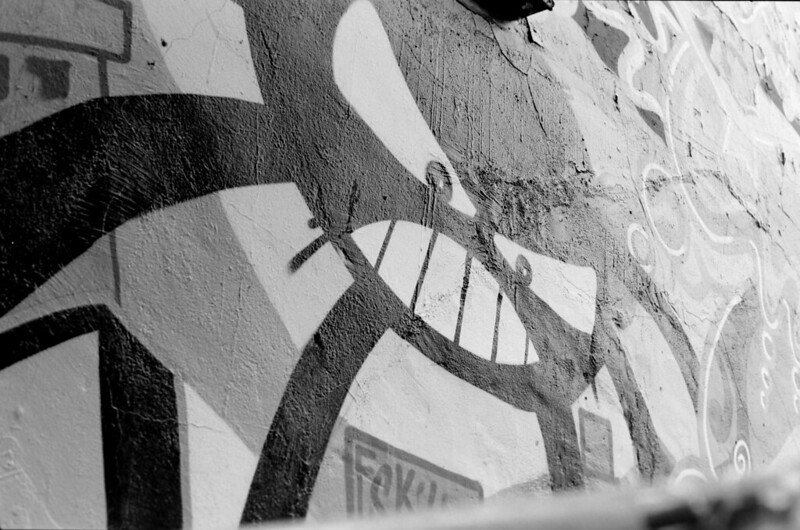
IMGP0921a by Jonathan_in_Madrid, on Flickr
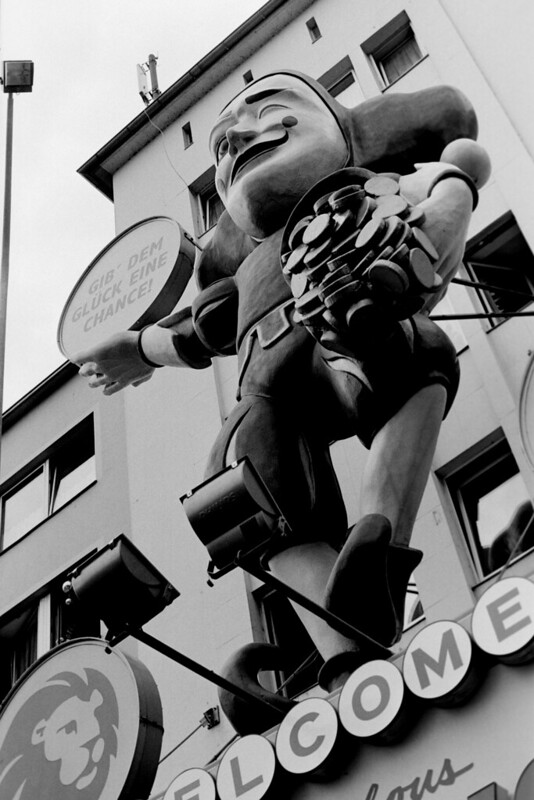
IMGP0919a by Jonathan_in_Madrid, on Flickr
The strip of negative goes into a Lomo Digitaliza to keep it (fairly) flat, that goes into a shoe-box I cut up to hold the digitaliza. Camera goes on one side on a tripod and on the other are several layers of translucent plastic to diffuse the light from the flash on the other side. The flash is triggered wirelessly with a cheap transmitter. That setup allows me to use ISO 100, 1/160s and f/11ish.
Here are a couple more from the same roll.

IMGP0921a by Jonathan_in_Madrid, on Flickr

IMGP0919a by Jonathan_in_Madrid, on Flickr
Pentax hybrid user - Digital K3, film 645 and 35mm SLR and Pentax (&other) lenses adapted to Fuji X and Panasonic L digital
Fan of DA limited and old manual lenses
Fan of DA limited and old manual lenses
Posted 31/01/2015 - 18:06
Link
Copying colour negative film with a digital camera is easy. First of all take shot that includes the unexposed orange film base. In your photo software adjust the white balance so that the orange base shows as white.
Then simply apply the same setting for each negative copied and once turned into positives the colours will come out correctly. This correction will vary for different makes of film. For maximum effect I find this works best if you shoot the copies in raw.
Then simply apply the same setting for each negative copied and once turned into positives the colours will come out correctly. This correction will vary for different makes of film. For maximum effect I find this works best if you shoot the copies in raw.
Posted 24/07/2015 - 15:01
Link
Did you flip the colors in RAW processing or is it possible to set up in camera? Just wondering.
I've seen that option in RAW develop settings in camera but not as a shooting setting.
I've seen that option in RAW develop settings in camera but not as a shooting setting.
Pentax K-3 II, DA 50/1.8, Sigma 18-35/1.8, DA* 300/4, 1.4x HD DA Converter

Posted 27/07/2015 - 08:22
Link
The K3 allows the colours to be flipped but only in jpeg, the RAW remains the same, as RAW always does.
Pentax hybrid user - Digital K3, film 645 and 35mm SLR and Pentax (&other) lenses adapted to Fuji X and Panasonic L digital
Fan of DA limited and old manual lenses
Fan of DA limited and old manual lenses

Posted 10/08/2015 - 08:32
Link
I am using K3 for film "scanning" as well, and with good results too!
Here's my "homemade" setup:
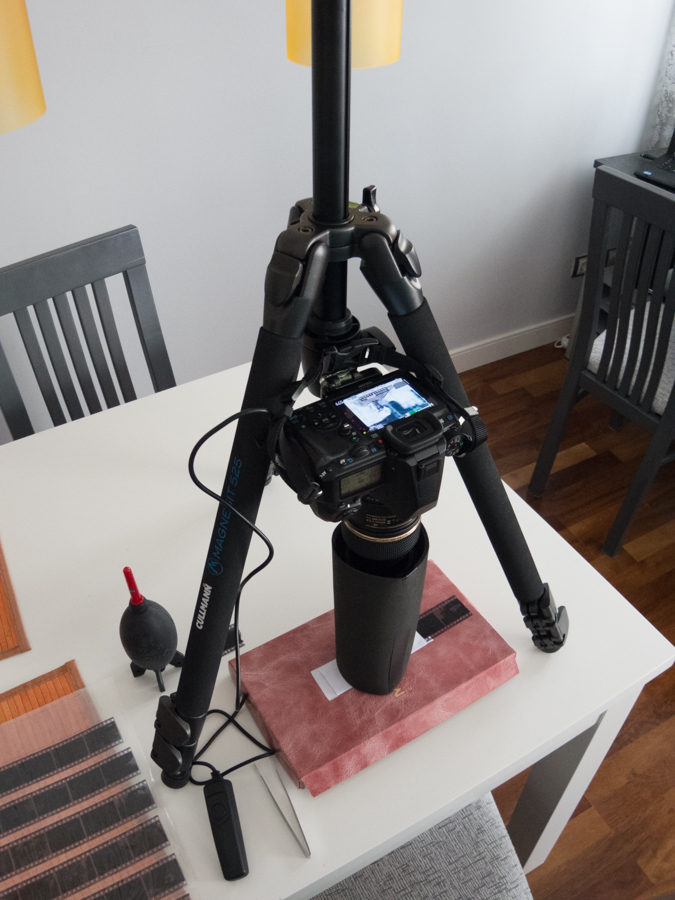
Film is backlit by my mobile phone!
Takes me 'bout 10 mins to setup everything and ca. 20 to "scan" a 36-exposures roll. Then I move to my puter and use LR to invert tonalities and cut. That's all.
Works well with B&W and colour films too. Havent tried with slides.
Here's my "homemade" setup:

Film is backlit by my mobile phone!
Takes me 'bout 10 mins to setup everything and ca. 20 to "scan" a 36-exposures roll. Then I move to my puter and use LR to invert tonalities and cut. That's all.
Works well with B&W and colour films too. Havent tried with slides.
Pentax LX w/ SMC 28/3.5 or SMC 50/1.2, and something more...
Posted 10/08/2015 - 08:42
Link
Couple of examples, scanned by K3 + Tamron 90.
B&W also developed in house:

Pointing towards the Cathedral by ۞ Marco ۞, en Flickr

Plaza de Santo Domingo by ۞ Marco ۞, en Flickr
And colour too:

Basílica del Pilar by ۞ Marco ۞, en Flickr
B&W also developed in house:

Pointing towards the Cathedral by ۞ Marco ۞, en Flickr

Plaza de Santo Domingo by ۞ Marco ۞, en Flickr
And colour too:

Basílica del Pilar by ۞ Marco ۞, en Flickr
Pentax LX w/ SMC 28/3.5 or SMC 50/1.2, and something more...

Posted 10/08/2015 - 13:51
Link
These are very nice indeed but I wonder whether it might be just as effective to convert the K3's files using Photoshop, sort of cutting out the middle-man.
Best wishes,
Andrew
"These places mean something and it's the job of a photographer to figure-out what the hell it is."
Robert Adams
"The camera doesn't make a bit of difference. All of them can record what you are seeing. But, you have to SEE."
Ernst Hass
My website: http://www.ephotozine.com/user/bwlchmawr-199050
http://s927.photobucket.com/home/ADC3440/index
https://www.flickr.com/photos/78898196@N05
Andrew
"These places mean something and it's the job of a photographer to figure-out what the hell it is."
Robert Adams
"The camera doesn't make a bit of difference. All of them can record what you are seeing. But, you have to SEE."
Ernst Hass
My website: http://www.ephotozine.com/user/bwlchmawr-199050
http://s927.photobucket.com/home/ADC3440/index
https://www.flickr.com/photos/78898196@N05
Posted 10/08/2015 - 15:44
Link
vrolok wrote:
Couple of examples, scanned by K3 + Tamron 90.
B&W also developed in house:
Pointing towards the Cathedral by ۞ Marco ۞, en Flickr
Plaza de Santo Domingo by ۞ Marco ۞, en Flickr
And colour too:
Basílica del Pilar by ۞ Marco ۞, en Flickr
Very nice results. Care to share how you process the colour shots to get the colour right?
Couple of examples, scanned by K3 + Tamron 90.
B&W also developed in house:
Pointing towards the Cathedral by ۞ Marco ۞, en Flickr
Plaza de Santo Domingo by ۞ Marco ۞, en Flickr
And colour too:
Basílica del Pilar by ۞ Marco ۞, en Flickr
Pentax hybrid user - Digital K3, film 645 and 35mm SLR and Pentax (&other) lenses adapted to Fuji X and Panasonic L digital
Fan of DA limited and old manual lenses
Fan of DA limited and old manual lenses

Posted 10/08/2015 - 17:09
Link
davidtrout wrote:
This is interesting, I like the quality you have achieved. I've got hundreds, thousands even, colour slides languishing in drawers. What's the set up you use, do you use a slide/negative copier attached to the camera?
David
PPG: http://www.pentaxphotogallery.com/artists/davidtrout
I did a thread on this recently:This is interesting, I like the quality you have achieved. I've got hundreds, thousands even, colour slides languishing in drawers. What's the set up you use, do you use a slide/negative copier attached to the camera?
David
PPG: http://www.pentaxphotogallery.com/artists/davidtrout
www.pentaxuser.com/forum/topic/converting-35mm-slides-54306
I tried using the computer monitor for back-light but the pixels were too obvious, the light tablet I bought is much better
Add Comment
To leave a comment - Log in to Pentax User or create a new account.




2411 posts
15 years
Madrid / Edinburgh
With a little cropping or more careful framing I could even use the straight-out-of-camera jpegs. It's a great step forward for using a DSLR for this purpose.
Here are my first few results - I used Agfa APX 100 film in a P30N while I was on holiday in Germany last summer.
IMGP0881a by Jonathan_in_Madrid, on Flickr
IMGP0885a by Jonathan_in_Madrid, on Flickr
IMGP0884a by Jonathan_in_Madrid, on Flickr
IMGP0887a by Jonathan_in_Madrid, on Flickr
IMGP0893a by Jonathan_in_Madrid, on Flickr
Fan of DA limited and old manual lenses