Linking Images Into Posts

Posted 16/03/2010 - 18:49
Link
Cheers Gareth
I have no idea why we couldnt get there, especially as Son does his own websire etc. Maybe we just thick on Sunday?
Cheers
paul
I have no idea why we couldnt get there, especially as Son does his own websire etc. Maybe we just thick on Sunday?
Cheers
paul
K5's (2)both gripped, K10d gripped, Pentax 28-90 f3.5, Sigma 18-250mm, Sigma 150-500mm. Sigma 105mm f/2.8 EX DG Macro, Sigma 10-20 f.4-5.6.EX DC, Hoya 135 f2.8, Take on 28mm f2.8 Pentax AF360 flash, 2 fill in slaves. 30 metre remote release, Rt angle viewfinder, Giotto NOT 3261B Tripod with Manfrotto 808Rd4 ball head, Manfroto 4861RC2 monopoly, shoulder stock, various filters etc, Panasonic SET HBS HD Video cam, Tamrac Explorer 8x backpack and a sore back.....
-------------------------------------------------------
Photography is an index for measuring futility and pride.......
Paul
:wink
http://s743.photobucket.com/home/pg20_photos/index
https://www.flickr.com/photos/pg20
-------------------------------------------------------
Photography is an index for measuring futility and pride.......
Paul
:wink
http://s743.photobucket.com/home/pg20_photos/index
https://www.flickr.com/photos/pg20

Posted 13/05/2010 - 19:34
Link
sananjana thanks for sharing this its good and nice as i am newbie i want more info about photography the i am having picasa where i can see all pictures of my system easily
thanks
________________
photos on canvas
thanks
________________
photos on canvas

Posted 13/05/2010 - 20:47
Link
uall wrote:
sananjana thanks for sharing this its good and nice as i am newbie i want more info about photography the i am having picasa where i can see all pictures of my system easily
thanks
You're thanking the wrong person, it was Tyr, the very first comment who shared this helpful information
sananjana thanks for sharing this its good and nice as i am newbie i want more info about photography the i am having picasa where i can see all pictures of my system easily
thanks
Stefan

K10D, K5
DA* 16-50, DA* 50-135, D-FA 100 Macro, DA 40 Ltd, DA 18-55
AF-540FGZ

K10D, K5
DA* 16-50, DA* 50-135, D-FA 100 Macro, DA 40 Ltd, DA 18-55
AF-540FGZ
Posted 27/08/2010 - 14:07
Link
Is anyone else experiencing difficulties since flickr changed the page layout, I have tried using both the html code and the link and putting them between the square brackets but nothing appears except a small white box with a red cross in the top corner

Posted 27/08/2010 - 16:38
Link

... just another middle-aged guy with a hobby. I have an extreme macro learning site at extreme-macro.co.uk - Pentax-centric, your feedback and comments would be appreciated!
Posted 27/08/2010 - 16:38
Link
Seems to work for me, DonaldM
... just another middle-aged guy with a hobby. I have an extreme macro learning site at extreme-macro.co.uk - Pentax-centric, your feedback and comments would be appreciated!

Posted 28/12/2010 - 12:52
Link
I've had problems with the changed Flckr even when images are set to public etc -I swapped to Photobucket that works really well using the img code.

Posted 24/01/2011 - 22:54
Link
gosh darn it, or words like that, have tried and tried and still only posting the link. when i click image, i see [img] and [i/img]. do i paste inside one of these boxes or what? Help

Posted 24/01/2011 - 23:25
Link
Katie,
I use Photobucket, so this works on it: when you hover the mouse cursor over an image that is already uploaded to that site, a drop down menu appears. Point to the menu option called IMG Code, and click in the box containing that code. You'll briefly see the word 'copied' appear in that box.
In 'Your Photos', start a new thread, type whatever text you want, and when you're ready to insert the image, just 'paste' (Ctrl+V if using a PC) it straight into your thread. The Photobucket site already puts the code around your image link, so there is no need to use the 'Link' or 'Image' buttons to get the pic into your thread.
Other sites may not wrap the code around the image link, so you may have to do the Paste described above into the Image dialogue box, then click OK.
Any of this make sense?
I use Photobucket, so this works on it: when you hover the mouse cursor over an image that is already uploaded to that site, a drop down menu appears. Point to the menu option called IMG Code, and click in the box containing that code. You'll briefly see the word 'copied' appear in that box.
In 'Your Photos', start a new thread, type whatever text you want, and when you're ready to insert the image, just 'paste' (Ctrl+V if using a PC) it straight into your thread. The Photobucket site already puts the code around your image link, so there is no need to use the 'Link' or 'Image' buttons to get the pic into your thread.
Other sites may not wrap the code around the image link, so you may have to do the Paste described above into the Image dialogue box, then click OK.
Any of this make sense?

Posted 05/02/2011 - 16:32
Link
[IMG]http://i1239.photobucket.com/albums/ff505/Philip_Brockbank/Macro002.jpg[/IMG]
I have not managed to insert images via Flikr so here is a test via Photobucket...
Hey! It worked!
I have not managed to insert images via Flikr so here is a test via Photobucket...
Hey! It worked!
Regards, Philip
Posted 22/04/2011 - 12:31
Link
Prieni wrote:
Well, let's see:
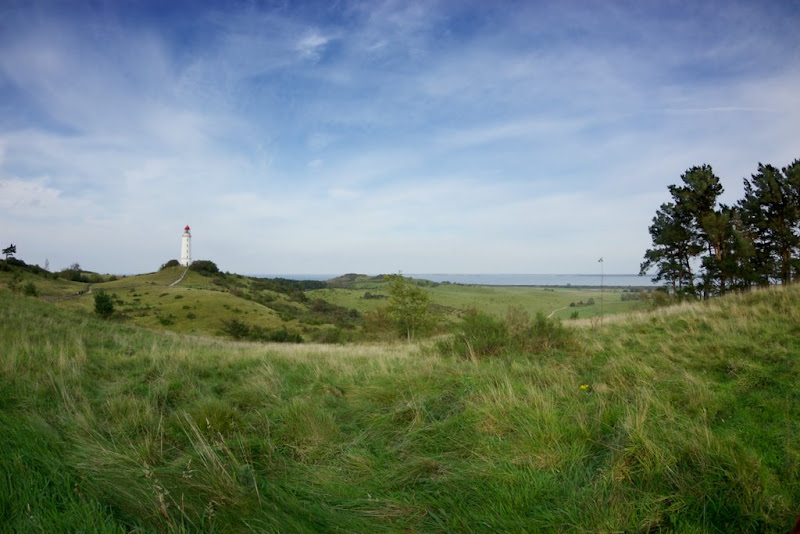
If you can see it then the answer is yes. I can see it, but that might be because I own it... Please let us know.
BTW: Since it is downsized by Picasa Web Albums it's loosing a bit of sharpness (the original is a bit bigger).
Prieni
Nice photo!!!!!!!!
Well, let's see:

If you can see it then the answer is yes. I can see it, but that might be because I own it... Please let us know.
BTW: Since it is downsized by Picasa Web Albums it's loosing a bit of sharpness (the original is a bit bigger).
Prieni

Posted 30/09/2011 - 16:07
Link
[IMG]http://i1091.photobucket.com/albums/i400/EdLeeWWA2714/Eagle12/Flower1.jpg[/IMG]
Yeh photobucket works OK
Yeh photobucket works OK

Posted 25/01/2012 - 12:41
Link
Anyone out there please help. I've tried to follow all the advice on here and have got as far as uploading to flikr and resizing a test photo but can get no further. When I can upload photos to the forum I want to put some things up for sale but don't want to do it without photos. HELP! HELP! HELP! CHEERS Vic.
Born again biker with lots of Pentax bits. Every day I wake up is a good day. I'm so old I don't even buy green bananas.

Posted 25/01/2012 - 13:26
Link
I've replied to your PM Vic, so have a go with that and let's see where it leads!
Instructions are also at the top of the list in Your Photos.
Instructions are also at the top of the list in Your Photos.
Best regards, John
Add Comment
To leave a comment - Log in to Pentax User or create a new account.




802 posts
17 years
Sat in Chair
Had an attempt on Sunday and didnt get far. Will try again this week.
Regards
Paul
-------------------------------------------------------
Photography is an index for measuring futility and pride.......
Paul
:wink
http://s743.photobucket.com/home/pg20_photos/index
https://www.flickr.com/photos/pg20